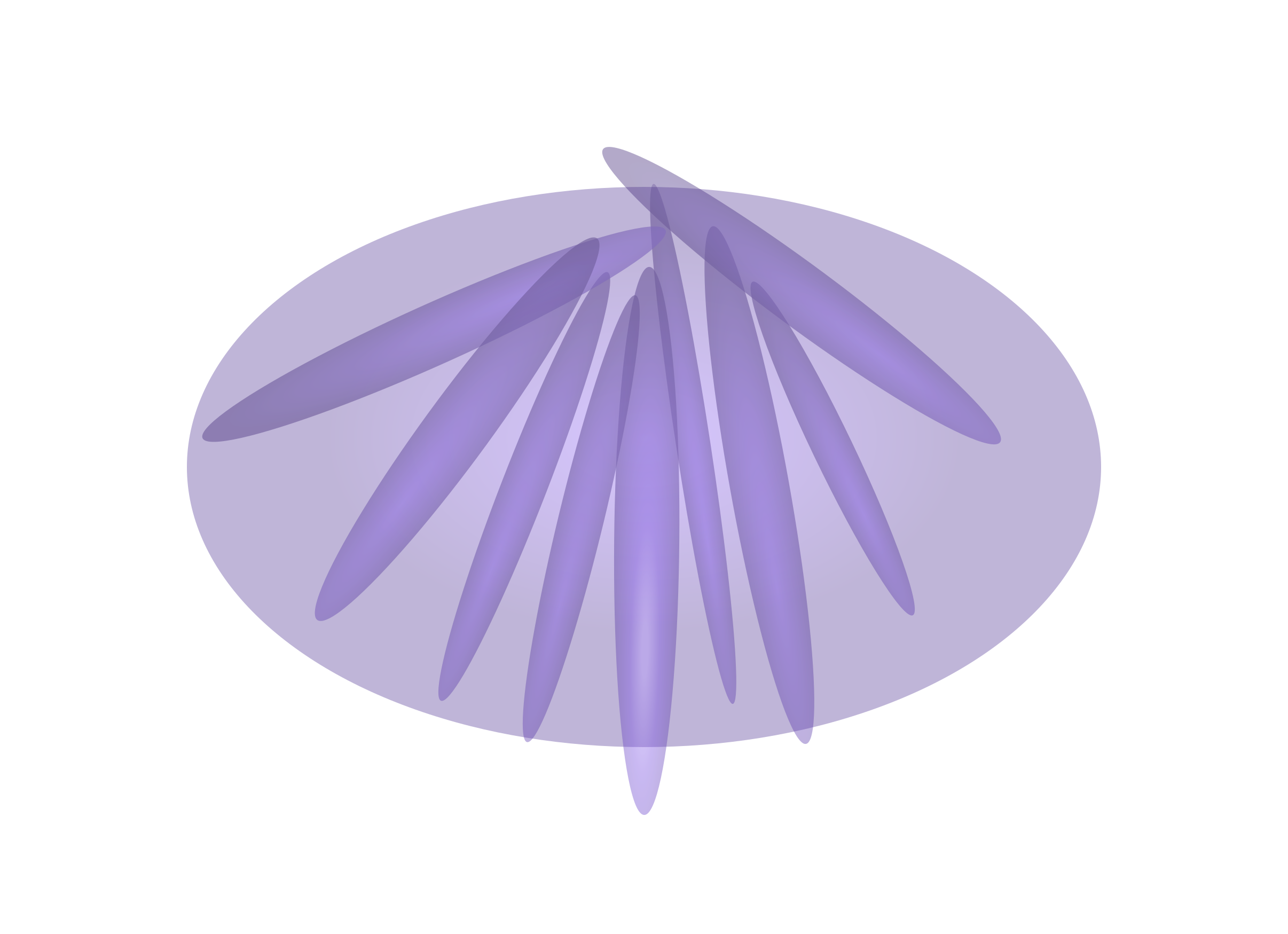
The Osiris Triad
Three specialist AI agents. Every inbound email. Every threat.

Precision Detection
HORUS analyses every inbound email across multiple detection signals simultaneously before delivering a verdict: malicious, suspicious, caution, or benign. Every verdict includes a complete evidence chain — not just a score. Not a score. A conclusion.

Autonomous Response
Once HORUS delivers a verdict, TALON acts. Malicious emails are quarantined and swept from every inbox simultaneously — in seconds, no human approval needed. Lower-severity signals are delivered with clear warning labels.

Forensic Intelligence
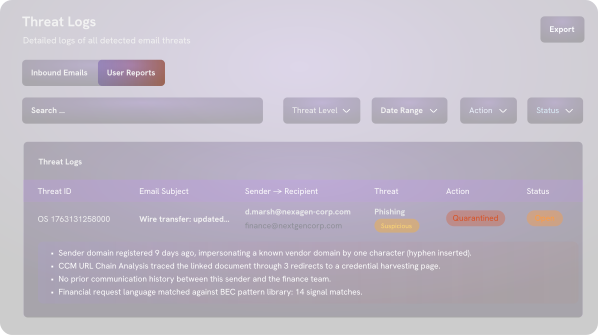
ATLAS builds a complete forensic record for every verdict — detection signals, URL chain trace, sender analysis, TALON action log — available immediately in the incident log.
How it
Works ?
How it Works ?
Our platform monitors incoming mail in real-time to neutralize threats before they reach the inbox. We analyze thousands of signals to provide a proactive defense layer for your enterprise.
We use multi-vector analysis to vet sender reputation, link safety, and attachment integrity simultaneously. This ensures high-precision detection of zero-day threats and sophisticated social engineering.
Once a threat is identified, our automated system takes immediate action to secure the environment. Whether quarantining files or labelling messages, we ensure your team stays focused on work.
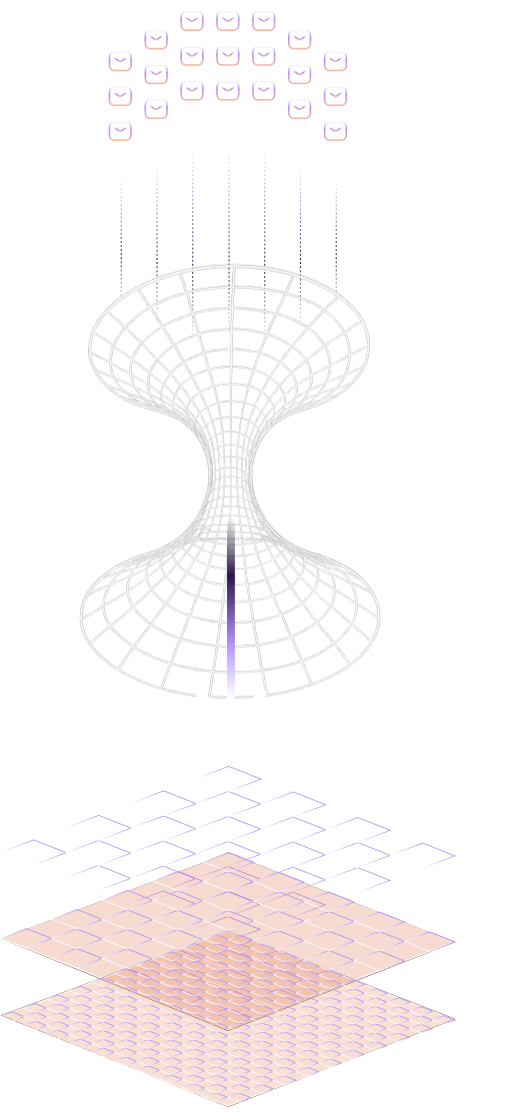
One integration. Every inbox.
No deployment overhead
Osiris connects directly to Microsoft 365. No agents to deploy. No changes to your mail flow. Every inbox and every department protected from day one.
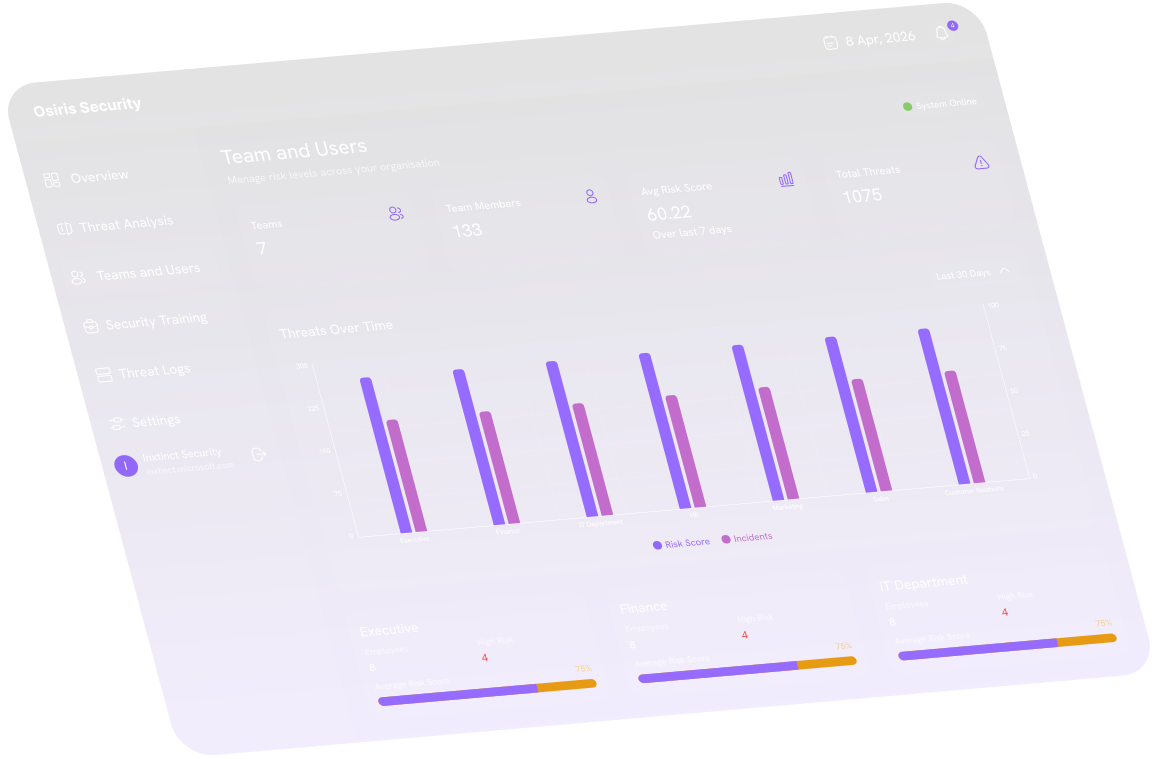
Know which teams attackers are targeting
Attackers do not target your organisation evenly — they target specific roles, specific patterns, specific people. Osiris maps the threat landscape to your org structure so your security team sees exactly where the pressure is concentrated.
Multi-Vector Detection Engine
Multi-vector detection. Parallel signals on every email. Every time.
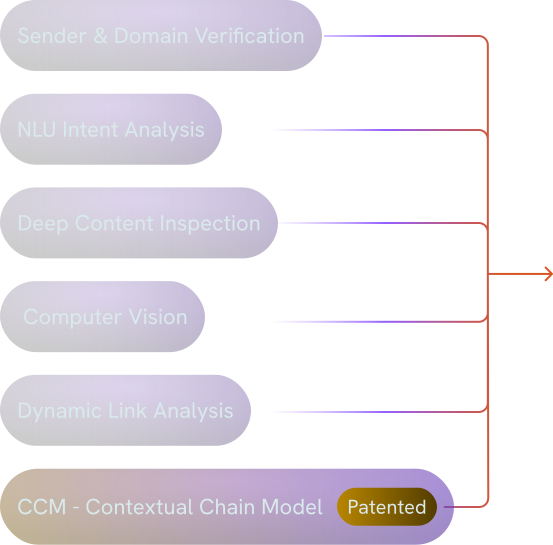

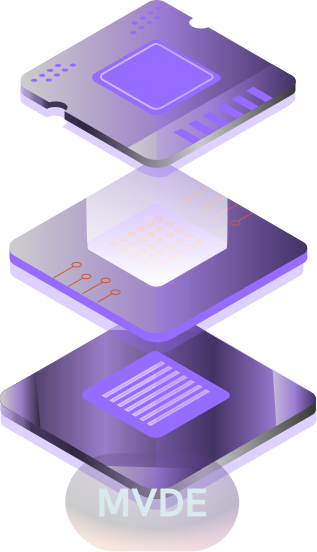
Traditional email security tools run one or two detection passes. If a threat evades the first check, it is through.
The MVDE runs every detection signal simultaneously — each one surfacing threats the others would miss.
No sequential checks. No gaps between methods.
How Osiris detects modern email attacks
Multiple detection signals on every email — each surfacing threats the others miss.
NLU Intent Analysis
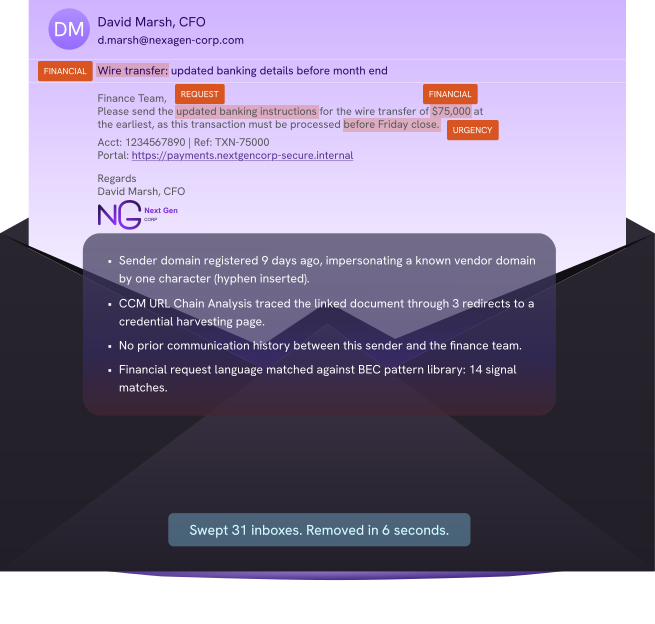
Goes beyond keywords to classify message intent. Identifies social engineering patterns, financial pressure language, urgency cues, and impersonation signals at the semantic level.
Data Loss Prevention
Keyword rules catch patterns. They do not catch a compromised account methodically sending your data out.
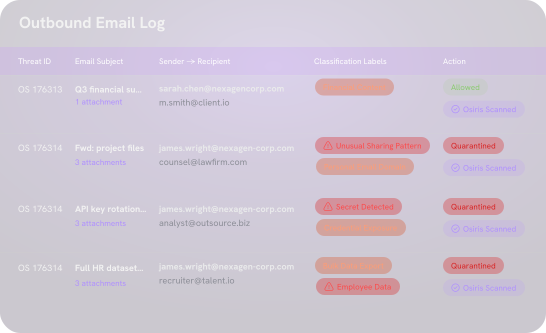
Every outbound email classified. Not just the ones that get blocked.
Every outbound email is scanned and classified across content type, data category, recipient context, and sharing patterns. Your security team sees what is moving through normal, permitted business email — not only when something is stopped.
The Osiris Security Report
The report exists before the board asks for it.
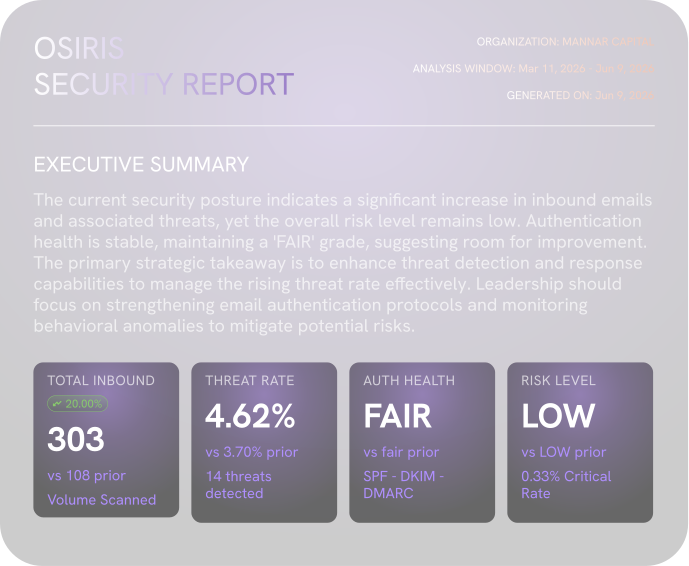
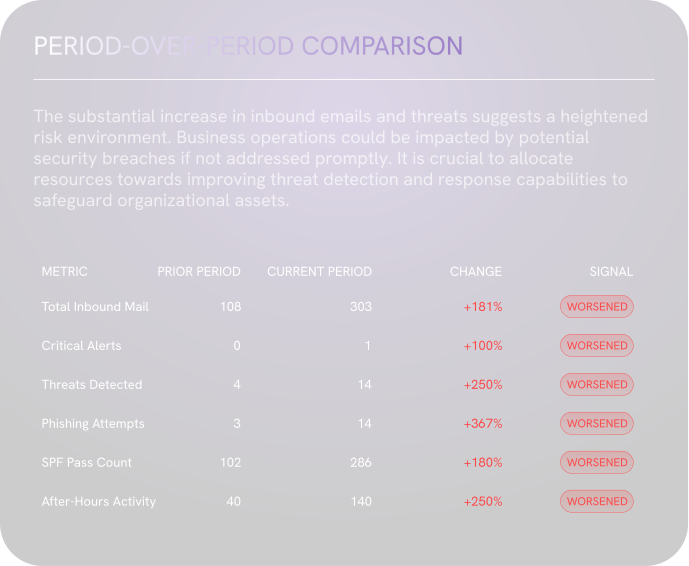
Whenever your security team needs it, Osiris compiles a complete organisational report: threat volume and classification, authentication health across SPF, DKIM, and DMARC, threat landscape by severity and type, period-over-period trend comparison, behavioural indicators, and peak threat days.
Most security teams assume their SPF, DKIM, and DMARC configuration is correct. The report shows the actual pass rates. The gaps they assumed were closed rarely are.
No manual data pull. No analyst time.
From detection to resolution
Step 1
Sender & Behavioural Analysis
Traditional email security tools run one or two detection passes. If a threat evades the first check, it is through. The MVDE runs every detection signal simultaneously — each one surfacing threats the others would miss. No sequential checks. No gaps between methods.
Step 2
NLU Intent Analysis
Osiris reads the message the way a trained analyst would. Social engineering patterns, financial pressure language, urgency cues, and impersonation signals classified at the semantic level. Not keyword matching — intent classification.
Step 3
Content & Visual Inspection
Attachments recursively unpacked. QR codes decoded. OCR extracts text from images. Computer vision detects brand impersonation embedded inside images — fake Microsoft login pages, DocuSign banners, bank letterheads — before any link is clicked.
Step 4
URL Chain Analysis
Dynamic link analysis evaluates URLs in a sandbox at the time of scanning. CCM (Patented) traces every redirect hop to the true destination. Multi-stage phishing URLs that route through legitimate CDNs and link shorteners are followed all the way through.
Step 5
TALON - Remediation
HORUS delivers the verdict. TALON acts. Malicious emails quarantined and swept from every inbox. Lower-severity signals delivered with warning labels. Seconds, not hours.
Step 6
ATLAS - Forensic Record
ATLAS records every detection signal, verdict, remediation action, timestamp, and evidence from the moment the event occurs. Complete forensic documentation is available immediately for investigations, compliance, and incident response.
Step 1
Sender & Behavioural Analysis
Traditional email security tools run one or two detection passes. If a threat evades the first check, it is through. The MVDE runs every detection signal simultaneously — each one surfacing threats the others would miss. No sequential checks. No gaps between methods.
Step 2
NLU Intent Analysis
Osiris reads the message the way a trained analyst would. Social engineering patterns, financial pressure language, urgency cues, and impersonation signals classified at the semantic level. Not keyword matching — intent classification.
Step 3
Content & Visual Inspection
Attachments recursively unpacked. QR codes decoded. OCR extracts text from images. Computer vision detects brand impersonation embedded inside images — fake Microsoft login pages, DocuSign banners, bank letterheads — before any link is clicked.
Step 4
URL Chain Analysis
Dynamic link analysis evaluates URLs in a sandbox at the time of scanning. CCM (Patented) traces every redirect hop to the true destination. Multi-stage phishing URLs that route through legitimate CDNs and link shorteners are followed all the way through.
Step 5
TALON - Remediation
HORUS delivers the verdict. TALON acts. Malicious emails quarantined and swept from every inbox. Lower-severity signals delivered with warning labels. Seconds, not hours.
Step 6
ATLAS - Forensic Record
ATLAS records every detection signal, verdict, remediation action, timestamp, and evidence from the moment the event occurs. Complete forensic documentation is available immediately for investigations, compliance, and incident response.
Find out what your current tool is missing.
Thirty minutes. No slides. We connect to your Microsoft 365 and Google Workspace environment and show you what is getting through.